
How do I make a Christmas photo with ChatGPT?
It takes about a minute per try. You need a ChatGPT account that can create images and a photo you are happy to upload.
- Pick a clear photo. Use a well-lit photo where every face is visible and not tiny. Front-facing shots work better than profiles, and one or two people are easier than a big group.
- Upload it to ChatGPT. Open a new chat, tap the + button (or the paperclip on desktop) and attach the photo. Starting a new chat keeps old instructions from leaking into the result.
- Paste a prompt from this page. Copy one of the prompts below, paste it under the photo and send. If you have more than one person, it helps to add a line such as “there are four people: two adults and two kids.”
- Fix it with one follow-up at a time. If a face drifts, reply with a short correction like “keep the woman's face exactly as in my photo, only change the background.” Small corrections work better than rewriting the whole prompt.
How do I keep faces the same?
ChatGPT does not paste your face onto a template. It redraws the whole picture, so likeness can slip, especially with kids, side profiles and group shots where faces are small. A few habits help more than anything else:
- Keep the sentence “keep every face exactly as in the original” in the prompt. All prompts here already have it.
- Use a sharp photo taken in daylight. Blurry or dark faces come back as a guess.
- Change one thing per follow-up. Asking for a new outfit, new scene and new art style at once is where faces drift most.
- For groups, say how many people there are. Models sometimes add or drop a person.
- If a result goes wrong, start a new chat and upload the original again instead of editing the edit.
Even then, expect to throw some results away. While making the examples below, a few runs came back with problems, such as a date stamp in a photo border or garbled letters on a gift box, and we redid or dropped them.
Christmas family portrait prompts
For a group photo where everyone needs to stay recognizable. Upload a picture with every face visible and not too small.
1.Family portrait by the tree
Turn this photo into a warm Christmas family portrait. Keep every person's face, hairstyle, skin tone and body shape exactly as in the original photo. Place the family in front of a decorated Christmas tree with warm white lights, wrapped gifts on the floor and a soft rug. Dress everyone in coordinated red and cream knit sweaters. Soft golden indoor lighting, shallow depth of field, shot on a 50mm lens, photorealistic, natural skin texture.
2.Matching Christmas pajamas
Edit this photo so everyone is wearing matching red-and-green plaid Christmas pajamas, sitting together on a couch beside a glowing tree on Christmas morning. Keep all faces and expressions identical to the original. Add mugs of hot cocoa and torn wrapping paper on the floor. Bright morning window light, candid and relaxed, photorealistic.
Christmas couple photo prompts
Two people, two faces to protect. A photo where you are both facing the camera gives the cleanest result.
3.Snowy street with string lights
Place the two people from this photo on a snowy evening street lined with string lights, with a lit Christmas market behind them. Keep both faces exactly as they are. Dress them in wool coats and scarves, light snow falling, warm bokeh from the lights, cinematic photo, 85mm portrait lens, photorealistic.
4.Baking gingerbread together
Turn this photo into a cozy Christmas scene of the couple baking gingerbread cookies in a warm kitchen. Keep their faces, hair and proportions identical. Flour on the counter, cookie cutters, a small decorated tree in the corner, soft warm lighting, candid laughing moment, photorealistic.
Christmas photo prompts for kids
Say the child's age in your own words if the model starts making them look older.
5.Christmas morning present
Turn this photo into a Christmas morning shot of the child opening a present beside the tree. Keep the child's face, age and hair exactly as in the photo. Pajamas with a snowflake pattern, a wide excited smile, warm tree lights, soft focus background, photorealistic, natural lighting.
6.Little elf in Santa's workshop
Dress the child in this photo as a friendly Christmas elf with a green felt hat and pointed collar, standing in a workshop full of wooden toys. Keep the child's real face and age unchanged. Warm, magical lighting, storybook feel but still photorealistic.
Christmas pet photo prompts
Models like to swap one golden dog for another. Naming the markings in the prompt helps if that happens.
7.Santa hat by the fireplace
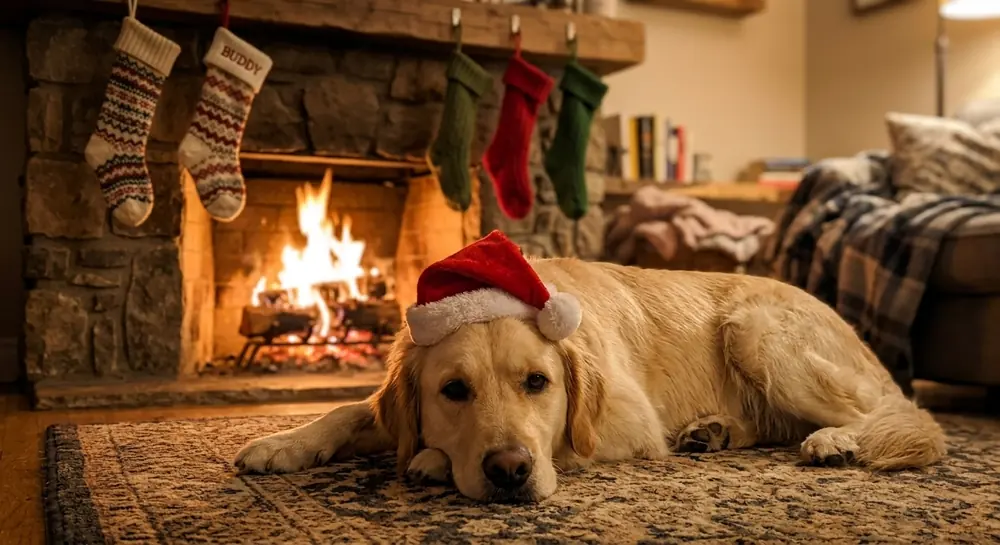
Put a small red Santa hat on the pet in this photo and place it on a cozy rug in front of a lit stone fireplace with stockings hanging above. Keep the animal's breed, fur color and markings exactly the same. Warm firelight, shallow depth of field, photorealistic pet portrait.
8.Peeking out of a gift box
Show the pet from this photo peeking out of an open Christmas gift box with a red ribbon, next to a decorated tree. Keep its face, fur pattern and eye color identical. Bright, cheerful, photorealistic.
Cozy fireplace and snowy outdoor prompts
Scene swaps. These move you somewhere new, so the face-locking sentence matters most here.
9.Hot cocoa by the fire
Place the person from this photo in an armchair by a crackling fireplace, holding a mug of hot cocoa with marshmallows, wrapped in a chunky knit blanket. Keep their face and hairstyle exactly the same. Candles and garland on the mantel, warm amber lighting, photorealistic editorial lifestyle photo.
10.Snowy cabin at blue hour
Move the people in this photo outdoors to a snowy forest in front of a log cabin with glowing windows and a wreath on the door. Keep all faces identical. Winter coats, beanies and mittens, snow on the pine trees, blue-hour light, photorealistic.
11.Christmas tree farm
Turn this photo into a scene at a Christmas tree farm, with the people carrying a freshly cut fir tree through light snow. Keep faces and body proportions unchanged. Plaid flannel jackets, rows of evergreen trees, overcast winter daylight, candid, photorealistic.
Vintage, film and Polaroid Christmas prompts
Old-photo looks hide small AI flaws well, which is part of why they are popular.
12.1960s Kodachrome Christmas
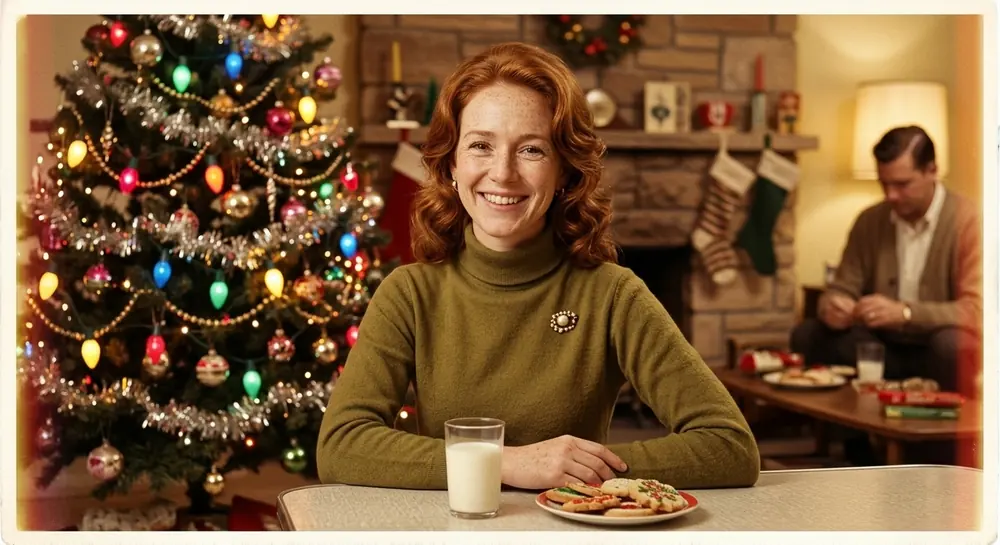
Restyle this photo as a 1960s Christmas photograph with faded Kodachrome colors, soft grain and a slightly warm tint. Keep the person's face recognizable and unchanged. Put them in a living room with tinsel on the tree, big colored bulbs and period clothing. Authentic film look, no modern objects.
13.35mm flash at a holiday party
Make this photo look like it was shot on 35mm film at a Christmas party: visible grain, direct on-camera flash, warm skin tones. Keep faces exactly as they are. Background of fairy lights and a decorated tree, candid snapshot feel.
14.Christmas Polaroid
Turn this photo into a Polaroid instant photo of a Christmas moment: a square image inside a white Polaroid frame, slightly washed-out colors and soft flash. Keep the person's face unchanged. Christmas lights and garland behind them. Leave the bottom border blank, with no text.
Ugly sweater and Santa prompts
The fun ones. Expect to run these two or three times before you get a keeper.
15.Ugly Christmas sweater party
Dress the person from this photo in a loud ugly Christmas sweater with reindeer, snowflakes and pom-poms, posing with a playful grin at a holiday party. Keep their face, hair and body shape the same. Tinsel and paper decorations in the background, bright party lighting, photorealistic.
16.Sitting with Santa
Edit this photo so the person is sitting next to a classic Santa Claus with a full white beard and red velvet suit, in a decorated Christmas grotto. Keep the person's face and age exactly as in the original. Warm lights, candy canes, wrapped gifts, photorealistic mall-photo style.
17.Santa caught on camera
Add Santa Claus, seen from behind, placing gifts under the tree in this photo of my living room, as if caught on a home security camera at night. Keep the room layout and furniture exactly the same. Dim lighting with the glow of tree lights, slight grain, a wide-angle camera look.
Card-ready Christmas photo prompts
These leave empty space so you can add your greeting later in Canva or any card app. Asking the model to write the text usually gives misspelled letters.
18.Classic card photo with space for text
Turn this photo into a Christmas card photo: the people centered, wearing coordinated cream and forest-green outfits, standing in front of a softly blurred, decorated tree. Keep all faces identical. Leave clear empty space at the top for a greeting. Even studio lighting, sharp focus, print quality, vertical 4:5 format, no text.
19.Minimal pine wreath frame
Create a minimal Christmas card from this photo: place the person inside a round frame of pine branches, red berries and pinecones on a plain cream background. Keep their face unchanged. Lots of empty space below for text. Clean, elegant, photorealistic, no text.
ChatGPT Christmas caricature prompts
A caricature prompt is different from the photo prompts above. You want the features pushed (bigger head, bigger smile) but still readable as the same person. The trick is to name what must stay: eyes, smile, hair, skin tone, and glasses or a beard if there are any. These three give a festive spin to the general caricature trend.
20.Christmas caricature with a Santa hat
Turn the person in this photo into a fun Christmas caricature: a slightly larger head with exaggerated but friendly features, keeping their real face recognizable (same eyes, smile, hair and skin tone). Santa hat, red scarf, holding a candy cane, snowy village background. Bright digital painting style, clean lines, no text.
21.Family caricature in Santa's sleigh
Make a Christmas caricature of everyone in this photo: big heads, small bodies, each person's likeness kept clear. They are squeezed into Santa's sleigh flying over snowy rooftops. Colorful cartoon illustration, festive and playful, no text.
22.Hand-drawn ugly sweater caricature
Draw the person in this photo as a hand-drawn caricature wearing an ugly Christmas sweater, with a big grin and an exaggerated expression, tangled in string lights. Keep their features recognizable. Marker and watercolor style on white paper, no text.
What do these prompts look like? Before and after examples
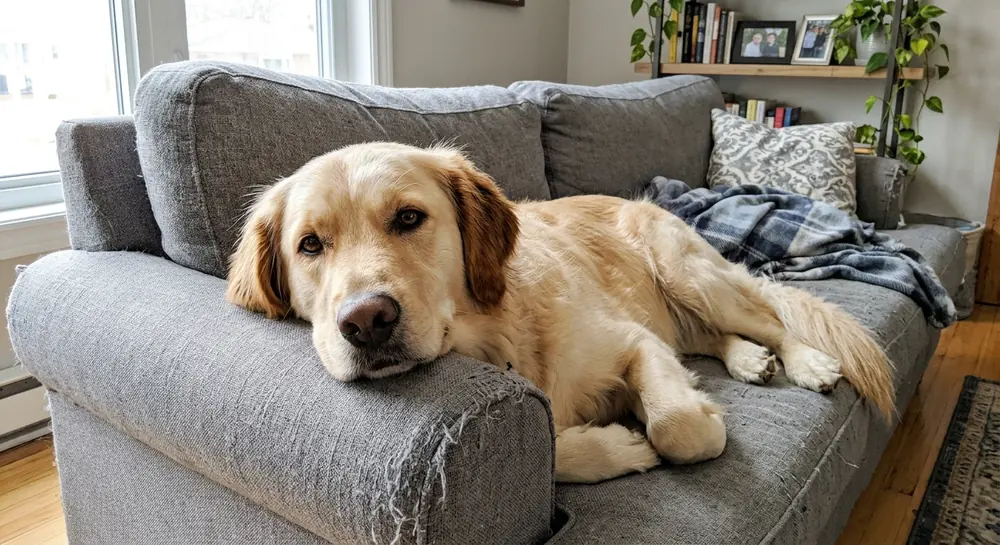
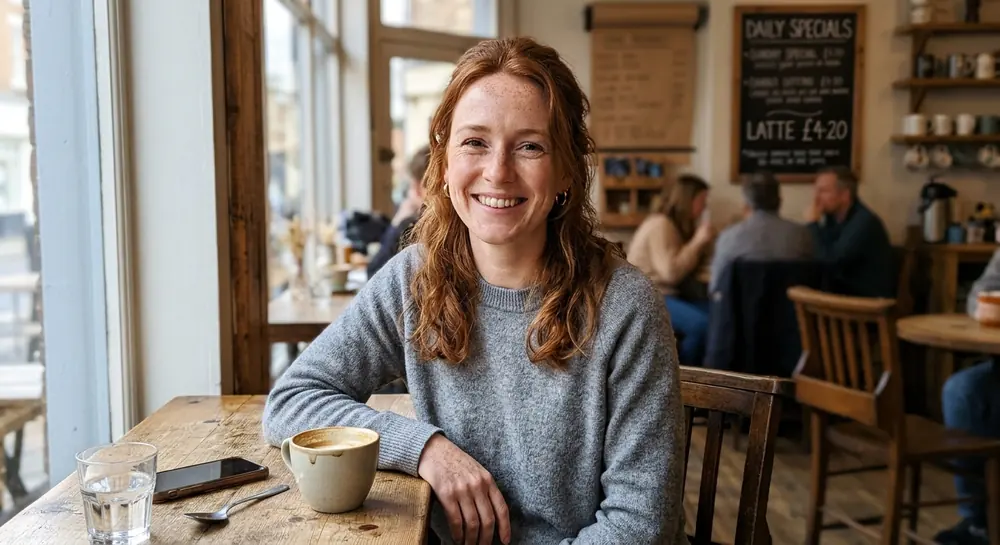
All examples are AI-generated. None of these people are real. We generated each “before” photo first, then edited that same image with the prompt shown, using a Gemini image model. ChatGPT will give a different result from the same prompt, and so will a second run in the same tool.
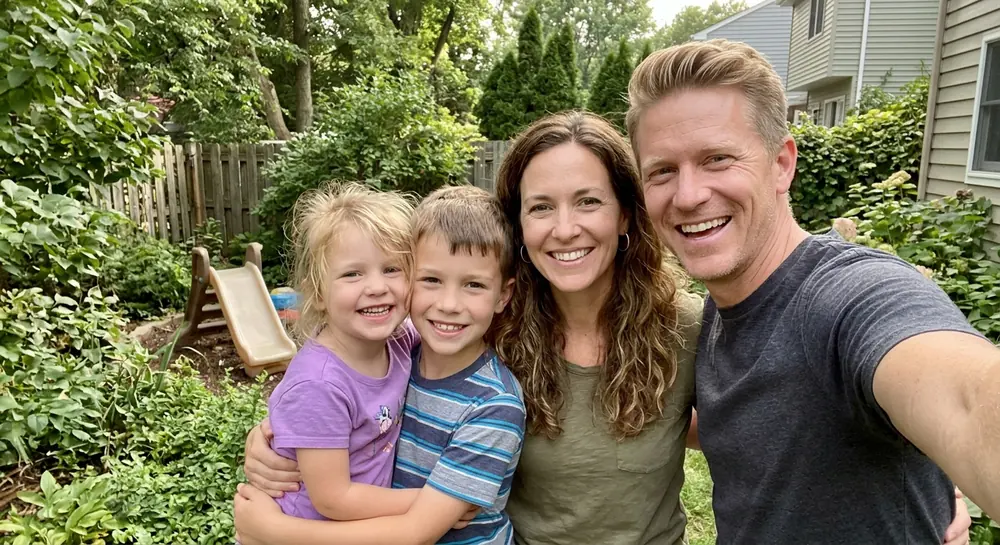 Before · AI-generated
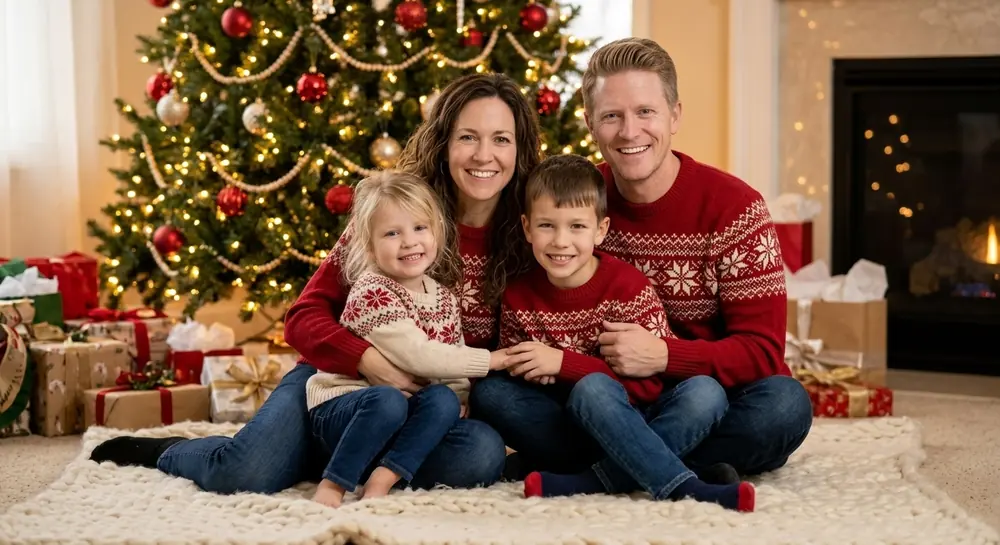 After · AI-generated
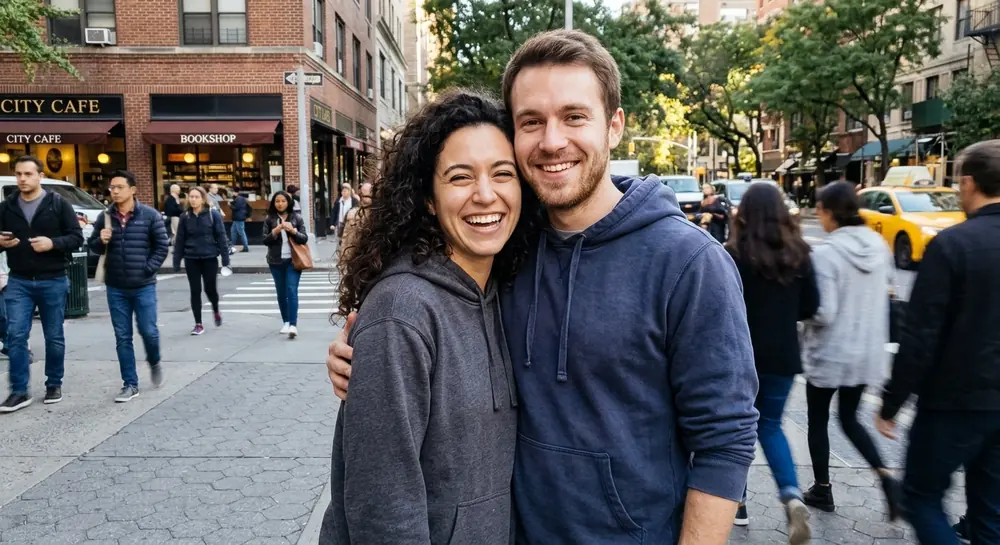 Before · AI-generated
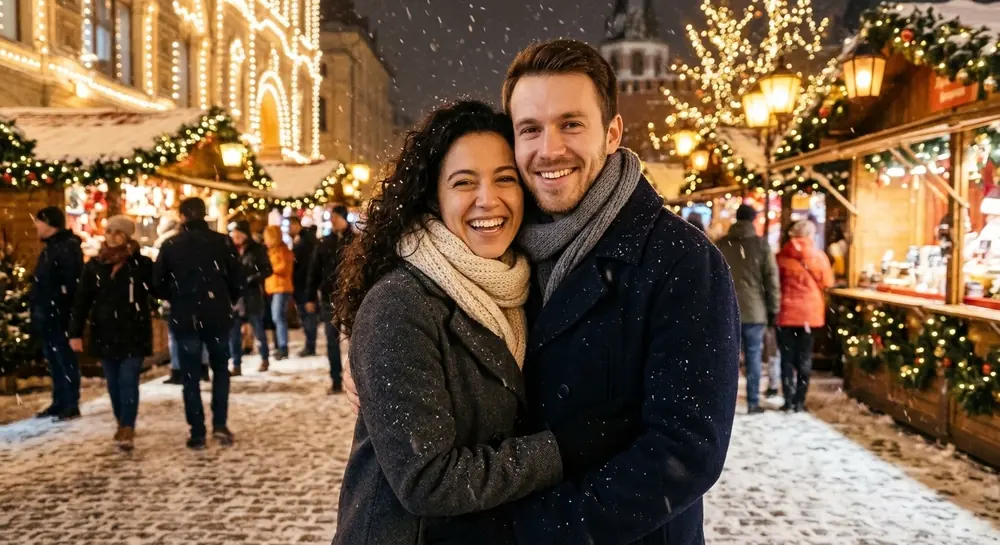 After · AI-generated
 Before · AI-generated
 After · AI-generated
 Before · AI-generated
 After · AI-generated
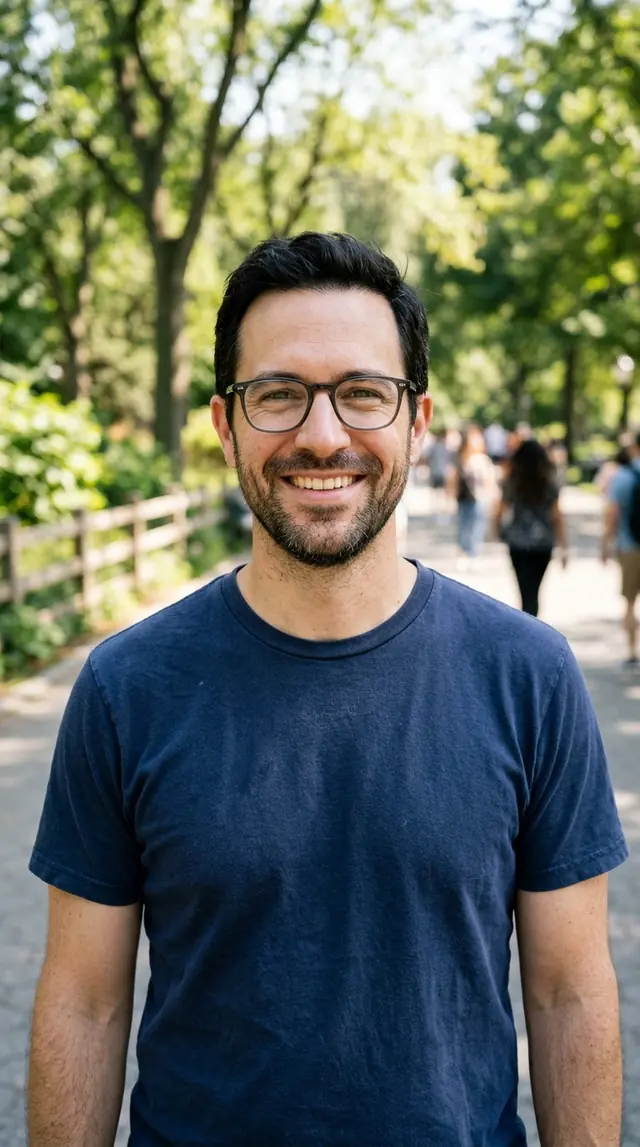 Before · AI-generated
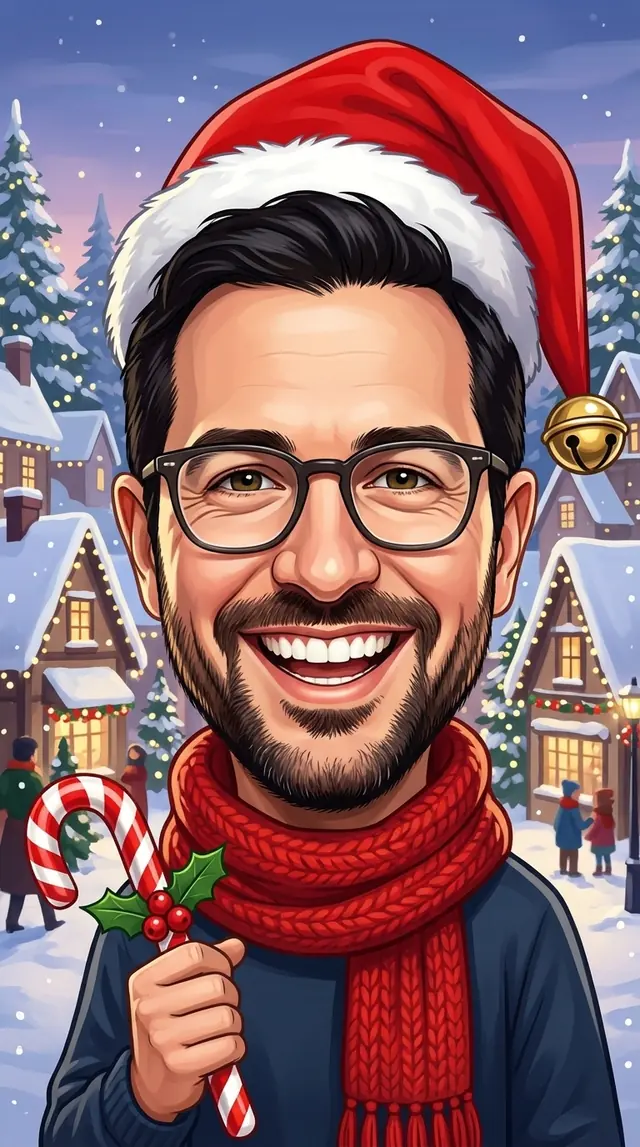 After · AI-generated
How do I write my own Christmas photo prompt?
Every prompt on this page uses the same four parts. Swap any of them and you have a new one.
- Keep: what must not change. Faces, hair, age, body shape, a pet's markings.
- Scene: where it happens. Tree, fireplace, snowy cabin, tree farm, Santa's grotto.
- Styling: clothes and props. Matching pajamas, ugly sweaters, cocoa, gifts.
- Look: light and camera. Warm tree lights, 50mm lens, 35mm film grain, Polaroid frame.
Found a Christmas picture online and want that exact look? Upload it to the image to prompt generator to get a written description of its lighting and style, then add the “keep” part yourself. To clean up a rough idea, try the prompt rewriter, and if you use Gemini, the Nano Banana prompt generator writes edit instructions in the style it handles well.
Do these prompts work outside ChatGPT?
Mostly, yes. They are plain English and do not use any ChatGPT-only syntax, so they also work in Gemini and other editors that take a photo plus a text instruction. Midjourney works differently: it treats an uploaded photo as a reference rather than editing it, so likeness is less reliable there. For text on a photo, such as a name behind a person, the free text behind image tool is easier than prompting.
ChatGPT Christmas photo prompts FAQ
What is the best ChatGPT prompt for a Christmas photo?
Start with a prompt that says three things: what to keep (faces, hair, skin tone, body shape), the new scene (tree, fireplace, snow) and the look (lighting and camera). The family portrait prompt on this page follows that pattern and is a good first try for most photos.
Can ChatGPT turn my own photo into a Christmas picture?
Yes. Upload the photo in ChatGPT, paste a prompt and it will make a new image based on it. It is a regenerated image, not a filter, so small details such as jewelry, freckles or a child's exact smile can change. Check the faces before you share or print.
How do I keep my face the same in ChatGPT Christmas photos?
Say it in the prompt (“keep every face exactly as in the original”), use a sharp front-facing photo, and change one thing per follow-up. If a face drifts, upload the original again and ask only for the background or the outfit to change.
Is ChatGPT image generation free for Christmas photos?
Free ChatGPT accounts can generate images, but with a daily limit that OpenAI changes from time to time. Paid plans get more. These prompts also work in Gemini and other image editors that accept a photo plus text.
How do I make a Christmas caricature with ChatGPT?
Upload a clear photo and use one of the caricature prompts on this page. Ask for a bigger head and exaggerated but friendly features, and tell it to keep the eyes, smile, hair and skin tone so the person is still recognizable.
Can I use these prompts for a Christmas card?
Yes. Use the card-ready prompts, which leave empty space for a greeting, then add the text yourself in a card or design app. Image models often misspell words, so it is safer not to ask ChatGPT to write the greeting in the picture.
Are the example photos on this page real people?
No. Every person and pet in the examples is AI-generated and fictional. The “before” photos were generated first, then each “after” was made by editing that same image with one of the prompts on this page.